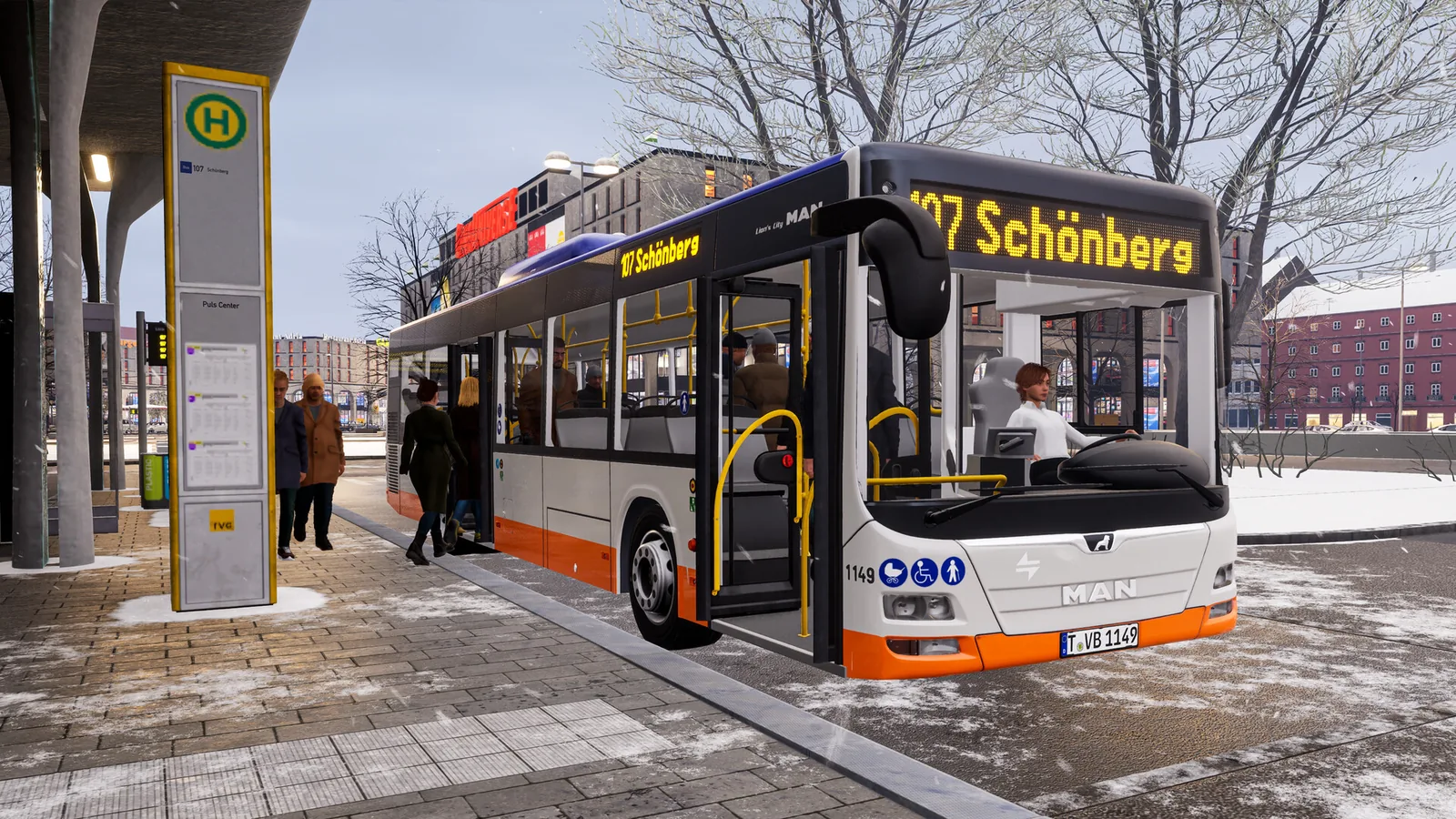
City Transport Simulator 2026
进入城市公共交通的新一代体验——City Transport Simulator 2026! 体验迄今为止最沉浸的公交与有轨电车模拟,城市会根据你的每一个决策动态变化。
- 更新时间
- 2026/07/09
- 压缩包
- 16.6 GB
- 解压后
- 17.9 GB
- 分卷数
- 5 个
- 发行年月
- 2026-04
- 语言
- 9 种语言 · 英语 / 简体中文
系统需求
系统需求展开查看最低配置和推荐配置展开
| 项目 | 最低配置 | 推荐配置 |
|---|---|---|
| 说明 | 需要 64 位处理器和操作系统 | 需要 64 位处理器和操作系统 |
| 操作系统 | 64-bit Windows 10 or Windows 11 | 64-bit Windows 10 or Windows 11 |
| 处理器 | from 2.9 GHz AMD Ryzen 5 3600 or Intel Core i5-10400F or newer | from 3.6 GHz, 8 cores |
| 内存 | 16 GB RAM | 16 GB RAM |
| 显卡 | NVIDIA GeForce GTX 1070 or AMD Radeon RX 6600 XT, each with 8 GB VRAM or better | NVIDIA GeForce RTX 2080 TI or AMD Radeon RX 6800 XT, each with 11 GB VRAM or better |
| DirectX 版本 | 12 | 12 |
| 网络 | 宽带互联网连接 | 宽带互联网连接 |
| 存储空间 | 需要 20 GB 可用空间 | 需要 20 GB 可用空间 |
| 声卡 | Integrated or dedicated compatible soundcard | Integrated or dedicated compatible soundcard |
| 附注事项 | Requires mouse and keyboard or Xbox Controller The system requirements mentioned here cannot cover all systems and configurations, so that in individual cases there may be compatibility problems that prevent or impact the game's run ability or performance. | Requires mouse and keyboard or Xbox Controller The system requirements mentioned here cannot cover all systems and configurations, so that in individual cases there may be compatibility problems that prevent or impact the game's run ability or performance. |
补充信息
安装与运行
- 1
重要提示:使用虚拟机环境的版本需要关闭某些安全功能。要准备系统以运行虚拟机环境,请以管理员身份运行 VBS.cmd。在继续操作前,请仔细阅读显示的信息(系统重启时需要关闭驱动程序签名验证)。游戏结束后,强烈建议恢复更改。
- 2
安装和运行:
- 3
1. 解压后的路径不要出现中文和特殊字符
- 4
2. 下载 City.Transport.Simulator.2026-DenuvOwO.zip 压缩包 - 下载 | 镜像
- 5
3. 阅读说明并启动游戏。
- 6
4. 将 "DenuvOwO" 文件夹的内容复制到游戏文件夹中。
- 7
通过游戏原始 .exe 文件启动游戏(CityTransportSim-Win64-Shipping.exe,位于 CityTransportSim\Binaries\Win64 路径下)。如果 reflex.ini 文件中启用了虚拟机环境自动加载功能,系统会自动请求管理员权限(如果尚未授予)。
- 8
如果自动加载已禁用,则无需以管理员身份运行游戏。在这种情况下,您需要像下面的示例一样创建和管理驱动程序服务。此信息适用于高级用户。指定的驱动程序文件位于 DenuvOwO\CityTransportSim\Binaries\Win64\driver_amd 或 DenuvOwO\CityTransportSim\Binaries\Win64\driver_intel 文件夹中,请指定您的路径。
- 9
在管理员权限的命令行中使用以下命令:AMD:1. 创建服务(在引号中插入您的 .sys 文件路径)
- 10
sc create SimpleSvm type= kernel binPath= "C:\Users\Test\Desktop\SimpleSvm.sys"
- 11
2. 启动驱动程序(进入游戏前)
- 12
sc start SimpleSvm
- 13
3. 停止驱动程序(退出游戏后)
- 14
sc stop SimpleSvm
- 15
4. 删除服务
- 16
sc delete SimpleSvm
- 17
Intel:1. 创建服务(在引号中插入您的 .sys 文件路径)
- 18
sc create hyperkd type= kernel binPath= "C:\Users\Test\Desktop\hyperkd.sys"
- 19
2. 启动驱动程序(进入游戏前)
- 20
sc start hyperkd
- 21
3. 停止驱动程序(退出游戏后)
- 22
sc stop hyperkd
- 23
4. 删除服务
- 24
sc delete hyperkd
- 25
注意:
- 26
- 虚拟机环境驱动程序的源代码位于 DenuvOwO_SRC.zip 压缩包中。此压缩包适用于高级用户——您无需打开或复制它。
- 27
- Intel 虚拟机环境(hyperdbg)在 .sys 文件旁边使用额外文件,因此请确保它们位于同一文件夹中。这些文件名以 "hyper" 开头,例如 hyperkd.sys。
- 28
- 如果您启用了 BitLocker,请准备好恢复密钥,因为这可能很关键。Windows Hello 也是如此——请准备好常规登录方式。
- 29
- 在使用虚拟机环境之前,请确保所有可能在后台运行的反作弊服务(例如 Vanguard)已停止。DenuvOwO.nfo 文件中有英文原版说明,供需要的人参考。